Record the task
Use any screen recorder to demonstrate one software workflow. Narration helps, but a clear visual demonstration is the starting point.
YOUR PART
Record yourself completing a task in your software. Southline turns that recording into a polished, step-by-step work instruction your team can actually use.
Inventory Management · Step-by-step guide
Navigate to Inventory and select New Receipt.
Locate the correct PO and confirm item details.
Review quantities and select Confirm receipt.
01 / THE PROCESS
Forget long discovery meetings and writing instructions from scratch. You already know the process—just show us.
Use any screen recorder to demonstrate one software workflow. Narration helps, but a clear visual demonstration is the starting point.
YOUR PARTShare your video and any logo or brand colors you'd like included. Questions and updates can be handled over email.
THE HANDOFFReceive an organized instruction guide with numbered steps, annotated screenshots, and editable files—reviewed for clarity before delivery.
OUR PART02 / THE DELIVERABLE
Designed for the person who needs to follow the steps—not the person who already knows them.
Purpose · Complete an incoming receipt in your inventory system.
03 / MADE FOR DIGITAL WORK
ERP transactions, inventory updates, purchasing, shipping, and receiving workflows.
Accounting tasks, CRM updates, order processing, scheduling, and other repeatable digital procedures.
Build a consistent set of instructions for the software tasks new team members need to learn.
Our focus is intentionally narrow. We document computer-based workflows, not physical shop-floor processes or mixed hands-on procedures.
04 / SEE THE RESULT
See how a simple screen recording becomes a usable work instruction. This Google Contacts training sample walks through a complete digital task, from opening the app to confirming the saved record.
Open the 11-page sample PDF Ask about your own manual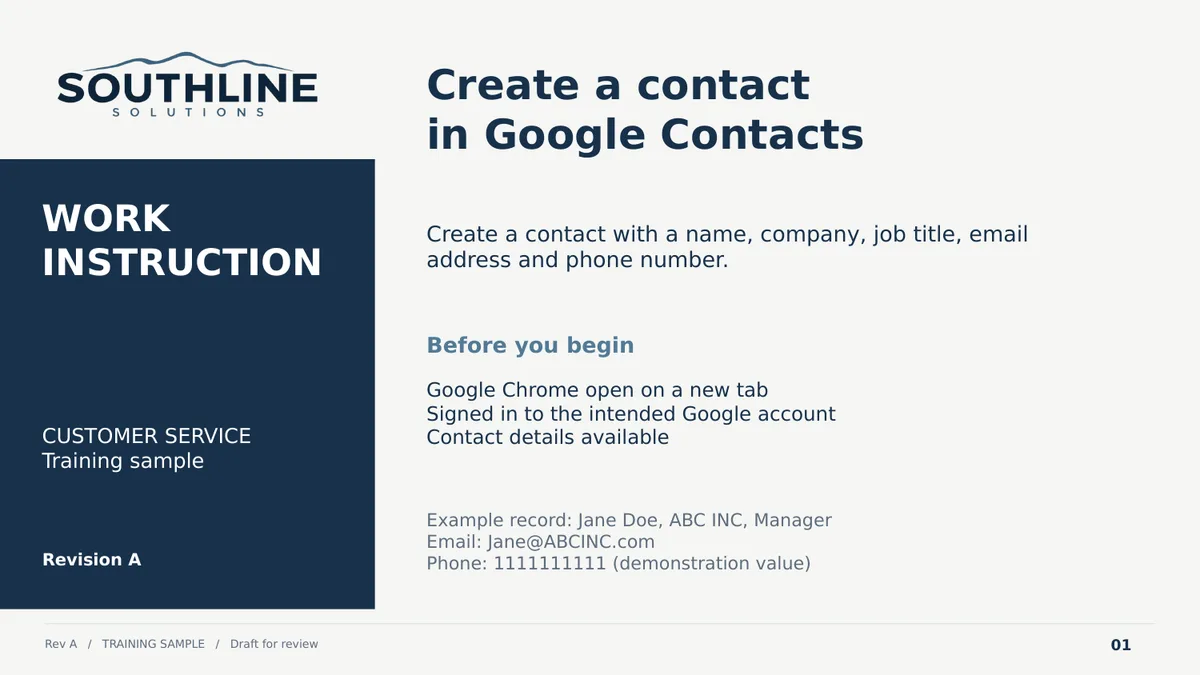
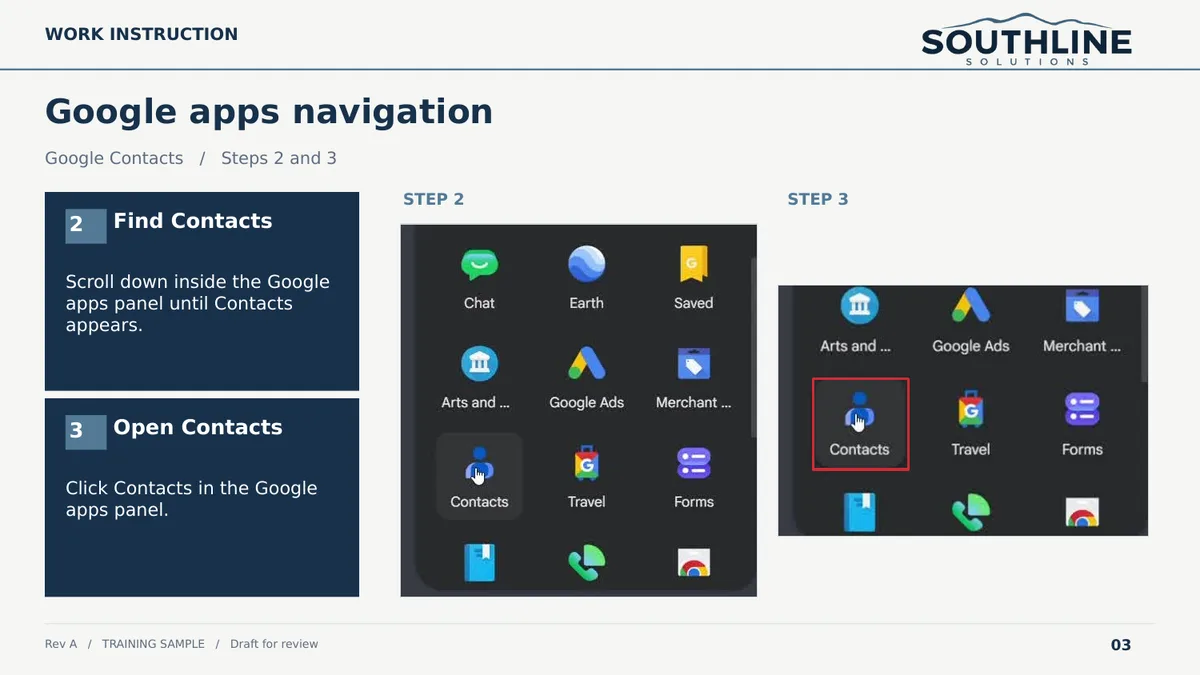
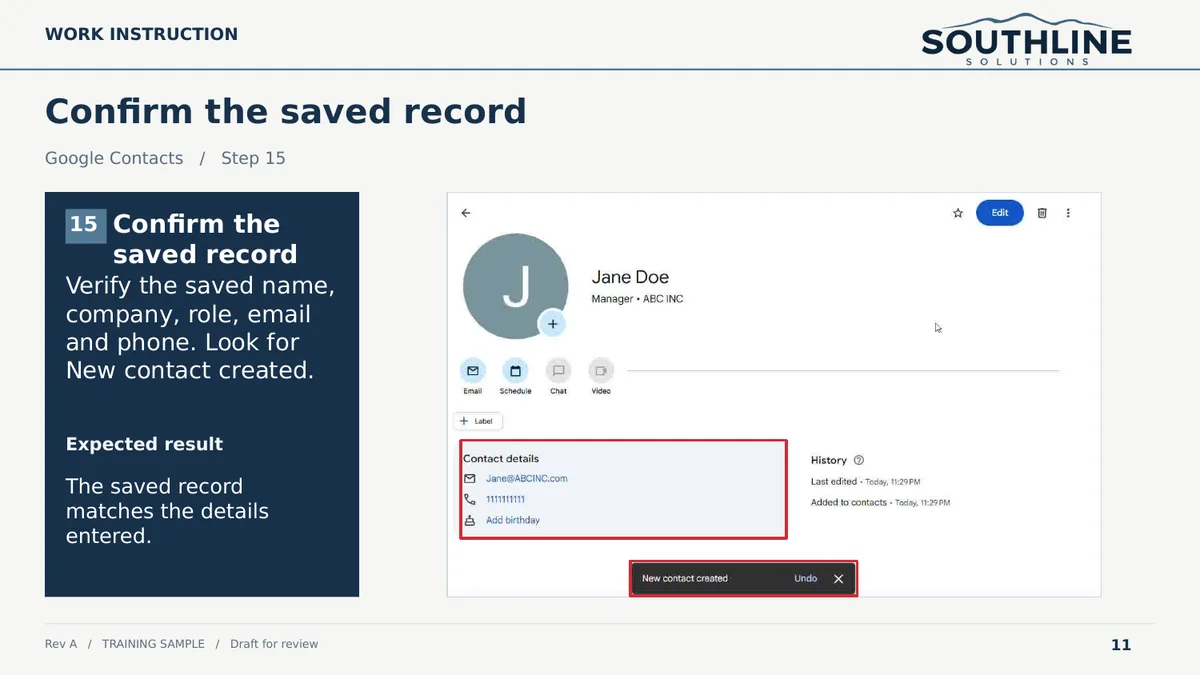
Demonstration only, using fictional contact information. This example illustrates the format and level of detail you can expect.
05 / PRICING
No ongoing software subscription. Start with one manual and see what a finished document can do for your team.
A low-risk way to try Southline with one real task.
For the next procedure—and every other task worth documenting.
Standard scope is one clearly defined digital workflow shown in a recording of up to 15 minutes. Longer or more complex work is quoted separately.
No. Southline is designed for an email-first experience. You can demonstrate the task in a recording and answer any clarification questions in writing.
We focus on clear digital tasks in ERP, inventory, accounting, CRM, administrative, and other business software. We review each request for fit before accepting it.
Not at all. A simple, readable screen recording is enough to get started. It should show the complete task and avoid unnecessary sensitive or confidential information.
Yes. The deliverables include an editable Microsoft Word file and a PDF version for sharing or printing.
We review the guide against the recording for clarity and consistency. Your team remains responsible for approving the actual process and its business rules before the document is used for training.
Our initial target is three business days after receiving a usable recording and the information needed to begin. We'll confirm the delivery estimate with each order.
SOUTHLINE SOLUTIONS
Tell us which software workflow your team needs documented. Questions, approvals, and delivery can all happen over email—no calls required.
07 / GET IN TOUCH
Have a repetitive task in your ERP, inventory, accounting, or other business software? Tell us a little about it, and we'll help determine if it's a good fit.
A short request
Just a few details about your process.
A reply by email
No sales meeting or phone call needed.
Secure recording handoff
We'll arrange video sharing after reviewing your request.
Tell us about one digital workflow.
You can also email us directly at contact@southline-solutions.com.